
How to Choose the Right XGS PON SFP?
Choosing the right Xgs Pon Sfp is more than matching a 10G label to a switch port. It requires checking wavelength, optical budget, reach, temperature range, coding, and management support. ITU-T G.9807.1 defines XGS-PON as a symmetric 10 Gbit/s access technology, but compliance alone does not guarantee stable field performance. Connector cleanliness, fiber loss, and ONU interoperability still matter.
Industry forecasts support careful planning. Dell’Oro Group’s PON market research identifies XGS-PON as a major growth driver in fiber access equipment. Omdia’s Fiber Broadband Equipment research also highlights increasing operator adoption, especially where residential upgrades, business services, and mobile transport share one optical network. These reports show momentum, not a universal buying formula. A dense apartment deployment may need low-temperature tolerance and strong diagnostics. A rural cabinet may prioritize reach and receiver sensitivity.
As broadband analyst Julie Kunstler has warned, “The technology choice must follow the service requirement, not the other way around.” That principle fits Xgs Pon Sfp selection. Start with the OLT datasheet, then verify the module’s transmit power, receive sensitivity, DOM readings, and approved vendor list. Check real firmware behavior, not only laboratory specifications. A module can look perfect on paper and still fail during interoperability testing.
There is no shortcut here. I would also question vendor claims that lack test conditions, traffic profiles, or temperature details. Review ITU-T requirements, operator acceptance tests, and independent reports before deployment. The best Xgs Pon Sfp is the one that remains predictable after installation, maintenance, and network growth.
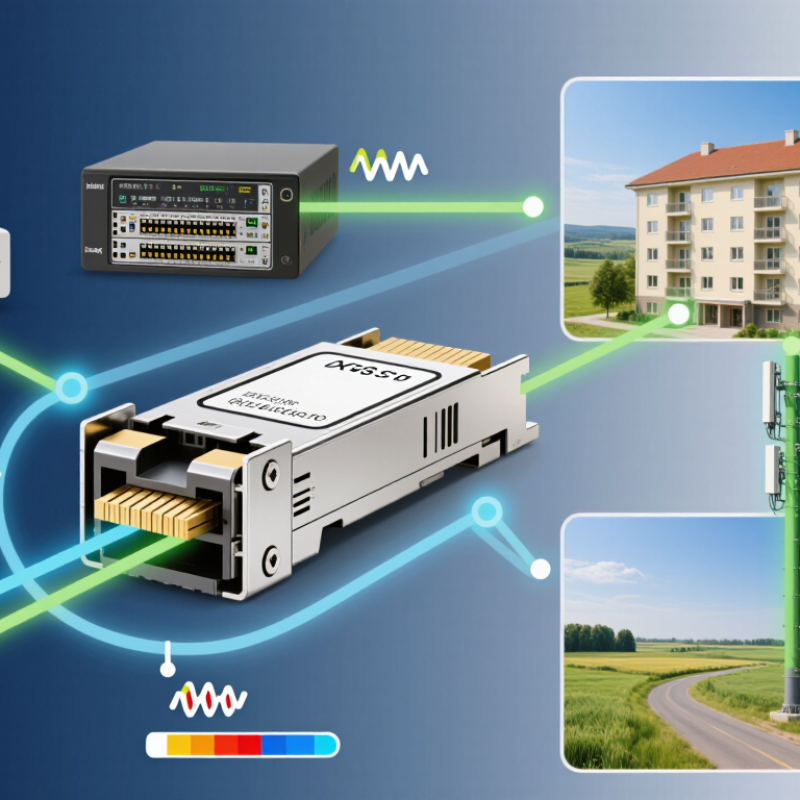
Define the Network Requirements for an XGS-PON SFP
How to Choose the Right XGS PON SFP?
Define the Network Requirements for an XGS-PON SFP
Start with capacity, reach, and optical conditions. ITU-T G.9807.1 specifies XGS-PON line rates near 9.953 Gb/s downstream and upstream. Therefore, confirm true symmetric performance, not only a high downstream figure. Check the OLT interface, connector type, operating temperature, and management support. A ten-kilometre module may fail in a longer or lossier distribution network. Measure the route, rather than trusting its label.
The optical budget needs close attention. Split ratios, fiber splices, patch panels, and aging connectors all consume margin. The FTTH Council Europe’s 2024 Market Panorama reported about 244 million FTTH/B homes passed across EU39 by the end of 2023. This scale increases pressure on stable, interoperable access equipment. However, a large market does not make every SFP interchangeable. Verify wavelengths, receiver sensitivity, launch power, and FEC behavior against the OLT and optical distribution network. I have seen specifications look acceptable, yet fail during temperature changes. That detail deserves more testing.
Tips: Request an optical-loss map before purchasing. Keep at least 2–3 dB engineering margin where practical. Test DOM readings, alarms, and interoperability with the intended OLT. Also check vendor documentation carefully; “compatible” can mean only basic link detection.
Match Optical Specifications with the Existing Fiber Infrastructure
How to Choose the Right XGS PON SFP?
Match Optical Specifications with the Existing Fiber Infrastructure
Choosing an XGS-PON SFP starts with the installed fiber, not the module label. ITU-T G.9807.1 defines XGS-PON with approximately 10 Gbit/s upstream and downstream capacity. It also specifies nominal wavelengths near 1270 nm upstream and 1577 nm downstream. These figures matter when older services share the same passive optical network. A wavelength mismatch can create instability, even when the connector fits.
Check the cable type, measured attenuation, splice count, and optical distribution distance. Standard single-mode fiber commonly supports this application, but its condition determines the real margin. Compare the SFP’s transmit power and receiver sensitivity with the network’s measured loss. ITU-T optical classes, including N1 and N2, provide useful reference ranges, but field conditions are rarely perfect. Dust, aging connectors, and unrecorded bends can consume several decibels.
The FTTH Council Global Alliance’s recent market reports show continuing global expansion of fiber access networks, making mixed-generation infrastructure increasingly common. That makes coexistence testing important. Confirm the module’s wavelength plan, reach rating, temperature range, and digital monitoring functions. Do not assume a longer-rated SFP is automatically safer. Excessive optical power may overload a receiver. A perfect datasheet match can still fail in practice. Before deployment, inspect end faces, clean connectors, and test insertion loss with calibrated equipment. Small oversights remain surprisingly expensive.
| Selection Dimension | Typical XGS-PON Requirement | Existing Infrastructure Check | Recommended Matching Rule | Selection Risk if Mismatched |
|---|---|---|---|---|
| PON Standard | ITU-T G.9807.1 XGS-PON for symmetrical 10 Gbit/s downstream and upstream operation. | Confirm that the OLT port, optical module, and subscriber equipment support XGS-PON rather than GPON-only operation. | Use an XGS-PON ONU/SFP or OLT SFP+ designed for the same PON standard and management method. | Loss of registration, incompatible ranging, or failure to pass traffic. |
| Downstream Wavelength | Approximately 1577 nm for XGS-PON downstream transmission. | Check coexistence filters, WDM components, splitters, and any legacy GPON or RF-video services already deployed. | Select a module specified for the 1577 nm XGS-PON downstream band and verify its spectral coexistence support. | Excessive attenuation, optical interference, or service disruption on shared infrastructure. |
| Upstream Wavelength | Approximately 1270 nm for XGS-PON upstream transmission. | Verify that the passive optical network and coexistence elements support the 1270 nm upstream band. | Use a module with the standard XGS-PON upstream wavelength range, typically centered near 1270 nm. | Weak upstream reception, unstable ranging, or inability to establish the optical link. |
| Fiber Type | Single-mode optical fiber, normally compliant with ITU-T G.652 or compatible access-network fiber. | Identify the installed fiber type, splice condition, connector cleanliness, and route length. | Choose a single-mode XGS-PON module; do not use a multimode Ethernet SFP for a PON access link. | High loss, severe dispersion effects, or an unusable optical connection. |
| Fiber Count and Duplexing | Most XGS-PON access links use one fiber for bidirectional transmission through wavelength separation. | Confirm whether the outside plant provides one fiber per PON port and whether passive WDM components are installed. | Select a single-fiber, bidirectional XGS-PON optical module with the correct PON connector interface. | Incorrect cabling, no optical synchronization, or accidental connection to a duplex Ethernet path. |
| Optical Reach | Common design reaches include 10 km and 20 km, subject to the optical budget and network design. | Measure or calculate the complete path length, including feeder fiber, distribution fiber, drop cable, patch cords, and repair slack. | Choose a reach rating equal to or greater than the calculated route length, while still meeting the required power budget. | Insufficient receive power on long routes or unnecessary cost and optical stress on short routes. |
| Optical Power Budget | Typical standardized budget classes include N1: 14 dB, N2: 17 dB, E1: 19 dB, and E2: 23 dB. | Calculate fiber attenuation, splitter loss, connector loss, splice loss, engineering margin, and aging allowance. | Select a module class whose usable budget exceeds the total calculated link loss plus a practical reserve. | Low receive power, intermittent service, or receiver overload when an unnecessarily strong optic is used. |
| Splitter Configuration | Passive split ratios such as 1:16, 1:32, 1:64, and 1:128 are used in access networks, depending on the design. | Confirm the actual split ratio and the insertion loss of each splitter stage. | Use the splitter loss, not only the nominal split ratio, when selecting the optical budget class. | Unexpectedly high path loss and insufficient optical margin at distant subscribers. |
| Transmitter Output Power | Must fall within the selected XGS-PON optical class and remain compatible with the receiver overload limit. | Compare module launch power with the OLT/ONU receiver sensitivity and overload specifications. | Choose adequate launch power without exceeding the maximum safe receive power after short or low-loss paths. | Receiver overload on short links or inadequate signal levels on high-loss links. |
| Receiver Sensitivity | Defined by the optical class and equipment implementation; lower sensitivity values indicate greater tolerance for path loss. | Check the module data sheet for guaranteed sensitivity at the intended bit rate and operating temperature. | Ensure the receiver sensitivity, plus design margin, is better than the expected end-to-end attenuation. | Packet errors, ranging failures, and unstable service during temperature or aging changes. |
| Connector Interface | Subscriber-side PON connections commonly use SC/APC, while rack-side interfaces depend on the host equipment design. | Inspect the installed adapter type and polishing style. APC and UPC connectors must not be directly mated. | Match the connector type, polish, keying, and fiber orientation to the existing patching system. | High insertion loss, reflection, physical damage, or an impossible mechanical connection. |
| Host Form Factor | OLT equipment may use SFP+ or another vendor-defined pluggable interface; subscriber devices may use an SFP-based ONU design. | Check the host port cage, supported module coding, electrical interface, firmware, and temperature range. | Select a module that is electrically, mechanically, thermally, and operationally approved for the host platform. | Module rejection, unexpected alarms, overheating, or loss of management access. |
| Operating Temperature | Commercial, extended, or industrial temperature options may be available depending on the deployment environment. | Review cabinet, street cabinet, outdoor enclosure, and indoor equipment-room temperatures. | Choose an operating range that covers the lowest and highest measured or specified ambient temperature. | Optical drift, increased error rates, premature failure, or intermittent link loss. |
| Optical Monitoring | Digital diagnostic monitoring may provide temperature, voltage, bias current, transmit power, and receive power. | Confirm that the host system can read and alarm on the module's diagnostic information. | Prefer monitoring-capable modules for links where preventive maintenance and fault isolation are important. | Slower troubleshooting and reduced visibility into gradual optical degradation. |
| Interoperability | Optical compliance alone does not guarantee interoperability; registration, OMCI behavior, encryption, alarms, and vendor profiles also matter. | Verify compatibility with the OLT software version, ONU management profile, authentication process, and service configuration. | Validate the exact module and host combination in a controlled test before large-scale deployment. | Optical link may be present while subscriber services fail to authenticate or provision correctly. |
| Example: Short, Low-Loss Route | Short single-mode route with a small splitter and measured loss comfortably below the selected class limit. | Check for possible receiver overload because total attenuation may be very low. | Use the lowest suitable power class that provides adequate margin and remains within the receiver input range. | Receiver saturation or unnecessary optical power on a short path. |
| Example: Long, High-Split Route | Long feeder and distribution route with a high split ratio and multiple connectors or splice points. | Complete a measured optical-loss test and include a maintenance and aging margin. | Use a higher-budget class only when the calculated loss requires it and the equipment supports that class. | Insufficient receive power, unstable ranging, and reduced service availability. |
Verify Device Compatibility and Required SFP Features
Choosing an XGS-PON SFP starts with the host device, not the advertised speed. Confirm that the cage supports SFP+ electrical signaling, the required voltage, and the module’s power draw. XGS-PON is not ordinary 10Gb Ethernet. ITU-T G.9807.1 defines nominal 10 Gbit/s downstream and upstream transmission. The optical interface also uses different wavelength ranges, commonly around 1270 nm upstream and 1577 nm downstream. A 10G label alone proves very little.
Check whether the module is designed for an optical network unit or an optical line terminal. Their functions, authentication methods, and management requirements differ. Confirm the optical budget, connector type, fiber mode, operating temperature, and transmission distance. A module with digital diagnostics can expose temperature, voltage, bias current, and received power. These readings help when a link fails after installation. In field checks, weak receive power often comes from dirty connectors or excessive bends, not a defective SFP.
The FTTH Council Europe’s 2024 Market Panorama reported more than 250 million homes passed by fiber across Europe. That scale increases pressure on operators to use interchangeable, well-documented optics. Verify support for relevant management standards, EEPROM data, and firmware behavior before ordering. Ask for interoperability testing with the exact host platform. This step is easy to skip. It should not be. A spreadsheet may show matching wavelengths while ignoring software restrictions, thermal limits, or vendor-specific provisioning. Personally, I would also request a sample for bench testing under real traffic and temperature conditions. Reports are useful, but the rack remains the final judge.
How to Choose the Right XGS-PON SFP?
Verify device compatibility and required SFP features before installation. The chart shows the standardized optical wavelength windows used by XGS-PON.
Key Compatibility Checks
- Host interface: Confirm that the device provides an SFP+ cage and supports approximately 10 Gbit/s electrical signaling.
- Optical direction: XGS-PON normally uses 1260–1280 nm for upstream transmission and 1575–1580 nm for downstream reception.
- Optical budget: Match the SFP optical class and loss budget with the installed fiber distribution network. Nominal reach can be up to 20 km, depending on the network design.
- Operating conditions: Check the required commercial, extended, or industrial temperature range, supply voltage, connector type, and digital diagnostic monitoring support.
- Protocol support: Ensure the module and host device are designed for ITU-T G.9807.1 XGS-PON operation rather than standard 10GbE-only transmission.
Compare Performance, Standards, and Operating Conditions
How to Choose the Right XGS PON SFP?
Performance should be checked before physical appearance. A suitable XGS-PON SFP normally supports 10 Gb/s upstream and downstream transmission. Verify the optical budget, transmit power, receiver sensitivity, and maximum reach. A longer advertised distance is not always better. Excessive optical power can overload a receiver on short fiber links. Check the actual split ratio and connector loss.
Standards determine whether the module will work reliably with your network equipment. Look for compliance with ITU-T G.9807.1 and confirm the required upstream and downstream wavelengths. Many systems use 1270 nm upstream and 1577 nm downstream, but deployment requirements can differ. Review interoperability details, coding options, digital monitoring, and host compatibility. A perfect paper match can still fail.
Operating conditions deserve equal attention. Select a temperature range suitable for the cabinet, outdoor enclosure, or central office. Heat matters. Measure available power and check the module’s consumption during continuous traffic. Dust, vibration, humidity, and poor ventilation can shorten service life. In practical testing, monitor temperature, optical levels, alarms, and packet errors for several hours. Specifications are helpful, but field behavior may expose weaknesses. I would also leave margin for aging and unexpected bends in the fiber. That caution can feel excessive, yet replacing a remote module costs more than choosing carefully.
Evaluate Supplier Quality, Support, and Total Deployment Cost
How to Choose the Right XGS PON SFP?
Evaluate Supplier Quality, Support, and Total Deployment Cost
Choosing an XGS-PON SFP starts with more than optical specifications. Request measured transmit power, receiver sensitivity, operating temperature, and diagnostic data. Confirm interoperability through controlled tests with your optical line terminal and network management system. Test it first. A sample should run continuously under heat, traffic, and rapid reconnect conditions. Ask for lot traceability, inspection records, and a clear replacement process. These details reveal whether quality is consistent beyond one successful sample.
Supplier support can protect a deployment when field problems appear. Check response times, escalation contacts, remote troubleshooting skills, and documentation quality. Ask whether engineers can review optical readings, alarms, and configuration files. Support matters. A supplier that only forwards generic manuals may increase outage time. During evaluation, request a written warranty and realistic return procedure. No supplier is flawless, but reliable communication makes faults easier to contain.
Calculate total deployment cost instead of comparing unit prices alone. Include testing labor, spare inventory, shipping, power use, installation time, and possible truck rolls. A cheaper module may create hidden costs through unstable links or repeated replacements. In one deployment plan, I underestimated the value of local technical support. The purchase price looked efficient, but delayed answers consumed several engineer-hours. That assumption needed correction. Build a small pilot budget, record failure rates, and compare cost per stable subscriber connection. This evidence is more useful than a polished sales spreadsheet.
Article Source:
We Meet Our Clients Needs.
Meeting the diverse needs of our clients, we have complete machining facilities for everything from single part prototypes to large quantity production. Our small size is one of our biggest assets. It allows us to control costs and maintain the highest of standards.
Quality orientated and delivery always on time or earlier than originally promised.
Strongly recommend MSD.