How to Choose the Best Home CNC Machine?

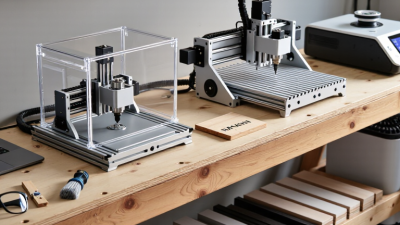
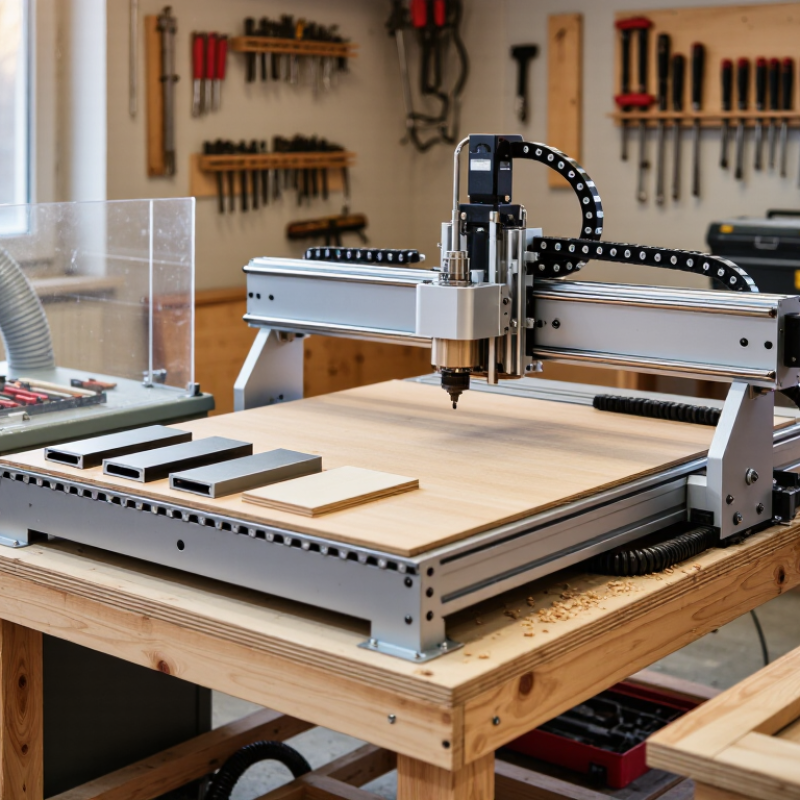
Choosing a home cnc machine starts with the work you actually plan to make, not the biggest number in a product listing. A compact router may suit signs, templates, and plywood parts. A small mill is better for careful work in aluminum, but it needs greater rigidity and often slower cuts. That difference matters. Before comparing models, measure your bench space and the largest stock you expect to use. Also consider where chips and dust will go. They travel. A machine that fits on paper can still feel awkward beside a wall, vacuum hose, and tool cabinet.

Look beyond advertised cutting area. Check frame construction, spindle or router power, motion components, supported materials, and how easily the machine can be squared and maintained. Ask whether the controller and software match your experience, and whether replacement bits, clamps, and technical support are available. Those small costs add up. For a beginner, clear setup instructions and predictable results may be worth more than extra speed. Experienced users may care more about repeatability and upgrade options. I would not treat any single specification as a verdict; real performance depends on material, tooling, feeds, and careful setup. A modest machine can do satisfying work. It can also disappoint. This guide compares practical trade-offs to help you choose a home cnc machine that fits your projects, workspace, skills, and budget, without paying for capacity you may never use.
How to Choose the Best Home CNC Machine?

Understand What a Home CNC Machine Can Do

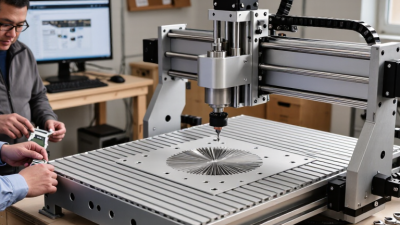
A home CNC machine converts a digital toolpath into controlled cuts. A small three-axis router can shape plywood, engrave lettering, and machine plastics. Some rigid machines can cut aluminum with suitable tooling, conservative cutting speeds, and secure workholding. Capability depends on more than spindle power. Frame stiffness, work area, and machine setup matter too.

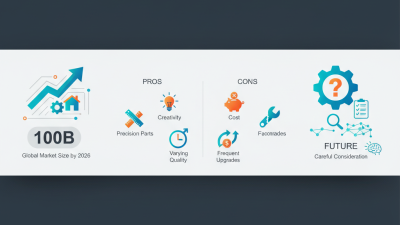
The scale of the wider industry offers useful context. Grand View Research estimated the global CNC machine market at US$83.99 billion in 2023 and projected 5.3% annual growth from 2024 to 2030. That figure covers industrial machines, not home models. Still, it reflects how broadly CNC technology is used for repeatable part production. At home, repeatability helps with small batches of brackets, signs, or replacement panels. Measure the usable work area before buying; advertised dimensions may not match the space available after clamps and tool clearance.

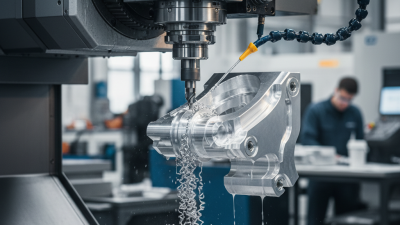
Materials have limits. A desktop machine may engrave aluminum but struggle to remove it quickly or accurately. That is easy to overlook. Expect to learn about feeds, tool wear, dust control, and noise through practice. Wood chips can collect around a cutter, while plastic may melt if the toolpath is too aggressive. Start with scrap material, test a shallow cut, and check the result before committing to a finished piece.

Define Your Projects, Materials, and Workspace

How to Choose the Best Home CNC Machine?
Define Your Projects, Materials, and Workspace

Start with real parts. List their largest dimensions, detail level, and expected production frequency. A small sign needs different travel and workholding than a batch of thick plywood panels. Choose a machine that fits your actual work, not a vague future plan. A common misstep is buying extra capacity before measuring the doorway, bench, and stock. Measure twice. Leave room to load material, reach clamps, and remove finished pieces. If your projects vary, note the largest blank you can store and handle safely.

Material choice narrows the field. Wood, plastic, and aluminum place different demands on rigidity, cutting tools, spindle speed, and chip removal. Check the machine maker’s stated material limits against your planned cuts; “can cut” does not always mean cleanly or repeatedly. Then assess dust and noise. NIOSH’s wood-dust criteria document recommends an exposure limit of 1 mg/m³ as a time-weighted average (DHHS [NIOSH] Publication No. 92-106). That figure is a workplace recommendation, not a guarantee of safe home air. Still, it makes extraction and cleanup part of the machine decision, not an afterthought. Dust adds up. Sketch the machine, extraction unit, and stock storage on your floor plan before purchasing. One awkward corner can change the whole setup.

How to Choose the Best Home CNC Machine?

Start with your projects, materials, and available workspace. These common U.S. plywood panel cut sizes show the work area a machine may need to accommodate.

Panel dimensions are approximate conversions from common nominal cut sizes; actual panels can vary. Choose a work area larger than your largest stock piece, with room for clamps and safe tool movement.

Compare CNC Types, Work Areas, and Capabilities

Choosing a home CNC machine starts with the material and the shape you need to cut. A router suits wood, plastic, and sheet goods; a compact mill handles metals better when rigidity and controlled cutting matter. Engraving machines can add fine detail, but their small work areas limit larger projects. Match the machine to real jobs, not an impressive specification sheet. Grand View Research estimated the global CNC machine market at USD 101.22 billion in 2023. That broad market figure shows the technology’s reach, but it does not tell you which machine fits a home workshop.

Check usable work area, not just the table’s outside dimensions. A 600-by-400-millimeter panel may need extra room for clamps, tool paths, and a safe margin. Measure your largest planned workpiece, then check X, Y, and Z travel; tall stock can exceed the machine’s vertical clearance. Leave room for a dust shoe or enclosure, too. Small details matter. Compare spindle power, frame stiffness, and supported tool sizes against your material. A light frame may chatter during a deep cut, leaving rough edges and wasted stock. I would allow more space than the first project seems to need; that judgment can be wrong, but cramped setups are hard to fix later. The Grand View Research figure comes from its CNC Machine Market Size, Share & Trends Analysis Report.

Evaluate Software, Safety, Support, and Total Cost

A home CNC machine is only useful if its software fits the way you work. Check whether the design program can export files your machine accepts, and whether the control software runs on your computer. Try a sample project before buying. Menus that look simple in a demo can feel confusing when you set tool paths, feeds, and work zero points. A clear manual and active technical support can save hours when a file fails or a cut goes wrong.

Safety deserves a close inspection, not a quick glance. Look for a sturdy enclosure, an accessible emergency stop, and clear guidance on dust collection and safe operation. Consider where chips will go, how loud the machine will be, and whether your table can handle vibration. Small rooms change the equation. Never assume a safety feature replaces careful setup or supervision.

Compare the total cost, not just the machine price. Add bits, clamps, spoilboards, materials, dust control, and any paid software or upgrades. Also check the cost and availability of replacement parts. A lower upfront price may mean more setup work or fewer support options. I would leave room in the budget for mistakes; a chipped bit or wasted board is frustrating, but realistic. The cheapest option is not always the easiest one to live with.

How to Choose the Best Home CNC Machine? — Evaluate Software, Safety, Support, and Total Cost

Evaluation Dimension Open-Frame Desktop Router Enclosed Desktop CNC Benchtop CNC Mill
Best suited for Wood, plastics, foam, and occasional light work in soft metals, depending on machine rigidity and tooling. Small-scale work in wood, plastics, and some metals; useful when a contained workspace is a priority. More rigid machining of aluminum and other metals, plus plastics; suitability depends on machine capacity and setup.
Typical work area Often larger than enclosed desktop units, but the actual cutting area varies widely by model. Usually compact; confirm usable travel, workpiece height, and door clearance before buying. Generally compact to medium-sized; check axis travel, spindle clearance, and table capacity.
Software to evaluate Check that the CAD/CAM workflow can create toolpaths for your materials and export a control format the machine accepts. Look for compatible CAD/CAM and control software, clear setup instructions, and access to post-processors for the machine. Confirm support for milling operations, tool changes, work offsets, and the machine’s controller; verify the workflow before purchase.
Software cost and learning Some workflows use free or low-cost software; advanced design or CAM features may require a paid subscription or license. Budget for any required paid features and allow time to learn toolpaths, feeds, speeds, and workholding. CAM setup and machining concepts can take more learning; check whether training materials or a trial version are available.
Safety considerations Cutting tools and chips are exposed. Plan for eye protection, secure workholding, emergency-stop access, and dust collection appropriate to the material. An enclosure can help contain chips, but it does not remove the need for guarding, safe operation, ventilation, and material-appropriate dust or fume control. Metal chips, sharp tools, and rotating parts require careful guarding and safe workholding. Follow the machine manual and use suitable eye protection.
Noise and workspace Router noise and airborne dust can be significant; consider room location, extraction, and vibration. The enclosure may help contain chips and reduce some noise, but the spindle, extraction system, and cutting process can still be loud. Expect machine and cutting noise, metal chips, and a need for a stable bench and organized tool storage.
Support and service Before purchase, check the availability of manuals, replacement parts, troubleshooting guides, and responsive technical support. Ask how the enclosure, controller, and other components are serviced and whether replacement parts can be obtained separately. Check access to service documentation, spare parts, repair support, and guidance for alignment and maintenance.
Typical machine-only price Approximately US$500–$2,000 for many entry-level and mid-range desktop units; specifications and included components vary. Approximately US$1,500–$5,000 for many desktop systems; enclosure, spindle, and included accessories affect price. Approximately US$3,000–$10,000 for many benchtop systems; capacity, rigidity, and included equipment cause wide variation.
Estimated first-year setup total Approximately US$800–$3,500, including a basic tool set, workholding, dust control, and other common essentials. Approximately US$2,000–$6,500, including basic tooling, workholding, and likely setup accessories. Approximately US$4,000–$12,000, including basic cutters, workholding, measuring tools, and setup essentials.
What may add to the cost CAD/CAM licenses, cutters, clamps, spoilboard material, dust extraction, maintenance, and a suitable computer. Additional cutters, vises or fixtures, software licenses, extraction, replacement parts, and any required electrical or workspace upgrades. Cutters, vises and fixtures, measuring tools, CAM software, coolant or chip management, maintenance, and workspace upgrades.
Key checks before buying Verify material capability, usable travel, controller compatibility, rigidity, dust-control plan, and total accessory cost. Verify internal work envelope, access for loading stock, ventilation needs, software compatibility, and service arrangements. Verify actual metal-cutting capacity, spindle and axis specifications, workholding options, electrical requirements, and support.
A strong choice if… You mainly cut sheet goods or soft materials and have room to manage dust, noise, and exposed moving parts. You want a compact, more contained setup and your projects fit within its work envelope. You prioritize rigid machining and metal projects and can accommodate the higher setup cost and learning curve.

Cost note: Price ranges are broad planning estimates in US dollars, not quotations. They vary by machine capacity, included accessories, location, and software choices. Confirm current pricing and the manufacturer’s specifications, safety instructions, and support terms before purchasing.

Match Machine Features to Your Needs and Budget

How to Choose the Best Home CNC Machine?

Match Machine Features to Your Needs and Budget

Begin with the material and the largest part you expect to cut. A machine for small plywood signs has different needs from one cutting aluminum brackets. Check the usable work area, spindle power, frame rigidity, and supported tooling. A large advertised work area is less useful if the frame flexes during a deep cut. Leave room in your budget for cutters, clamps, dust collection, and replacement parts. Those costs add up.

Grand View Research’s CNC Machine Market Size, Share & Trends Analysis Report estimates the global CNC machine market at $101.22 billion in 2023. That figure covers industrial equipment, not just home machines, so it cannot tell you what a hobbyist should spend. It does show how broad the category is. Compare specifications carefully rather than treating price or market trends as proof of quality. Start small.

For occasional craft work, prioritize straightforward setup, clear safety instructions, and reliable support for common file formats. For repeated projects, consider a stiffer frame, easier tool changes, and accessible replacement components. Check the machine’s footprint, too; a compact garage bench can fill quickly with a controller, stock, and dust equipment. I would not pay extra for speed you cannot use. And one trade-off remains: a lower purchase price may mean more setup time, which is easy to overlook.

We Meet Our Clients Needs.

Meeting the diverse needs of our clients, we have complete machining facilities for everything from single part prototypes to large quantity production. Our small size is one of our biggest assets. It allows us to control costs and maintain the highest of standards.

Quality orientated  and delivery always on time or earlier than originally promised.

Strongly recommend MSD.